Monday, 16 January 2023

How ChatGPT can help Teachers


ChatGPT is a powerful language model that can assist teachers in a variety of ways in the classroom. One of the main benefits of using ChatGPT is its ability to generate human-like text, which can be used to create engaging lesson plans, quizzes, and other materials for students.

For example, ChatGPT can be used to create multiple-choice questions for a test or quiz, or to generate a summary of a reading passage for students who need extra help. Teachers can also use ChatGPT to generate writing prompts for students, or to provide feedback on written assignments.

Another advantage of using ChatGPT in the classroom is its ability to understand natural language input. Teachers can ask ChatGPT questions in a conversational manner, and the model will respond with relevant information. This can be particularly useful for answering students' questions during class or for providing extra resources on a specific topic.

Additionally, ChatGPT can also be used to generate interactive dialogue-based activities, games, and simulations for students, which can make learning more engaging and interactive.

In summary, ChatGPT can be a valuable tool for teachers in the classroom. Its ability to generate human-like text and understand natural language input make it an ideal tool for creating engaging lesson plans, quizzes, and other materials, as well as answering students' questions and providing extra resources. 

You can tell ChatGPT wrote this article, right?

Sunday, 15 January 2023

A Chatbot did my Homework!

A few weeks ago I did a SWOT analysis of ChatGPT and there are tremendous opportunities for teachers and students to use the tool. However the ability to receive help of an ethical or unethical kind has been democratised. No longer is it just students with overly helpful parents or those with tutors that can hand in perfect essays. 

Now everyone with Internet access might be able to get a piece of work generated quickly and efficiently with minimal effort. Let's be clear cheating is hardly new and copies of homework assignments have been around for a long time and this is just another option for students from copying friends and older siblings work to using an Essay mill company.

So what can you do to minimise the risk?

Let's start by asking ChatGPT itself! 

Q: How can I stop ChatGPT from doing my students' homework?

A: To prevent ChatGPT from doing your students' homework, you can create a specific prompt or set of guidelines for your students to follow when using the model. Additionally, you can monitor their use of the model and check their work for plagiarism. If you suspect that a student is using ChatGPT to complete their homework, you can discuss the situation with them and take appropriate action.

It has the general idea that supervision is important, but its not so helpful in this situation. So let's take a more detailed look at what can be done and how we can minimise the risk.

The first thing to do is to show that you know about ChatGPT, put the essays into ChatGPT and see what comes back. It will not be long before you are very familiar with the way it writes and although students might be able to vary the prompts by asking for different styles etc. It still comes back with its own fingerprints.  Students are less likely to try and cheat the system if they think they are likely to be caught.  Perhaps a good way to give students the hint, is to ask students what they think of an essay ChatGPT did and perhaps even mark it. Even better if its an essay it does not do so well at! 

Secondly you can lower the stakes of homework assessments, if they are seen as practices for examinations or they have enough time to do them to a high standard with multiple revisions then the use of ChatGPT could diminish.  Also consider the format of the assignment, if a student has to handwrite an assignment there is less time saved.  Videos, mind-maps and podcasts are all much less advantageous for a chatbot to do. 

Thirdly, encourage good use of sources. Yes, ChatGPT can generate sourced material, but expect students to come into class and discuss their assignment and how the sources contributed to it. If the student hasn't done the reading then it will become obvious that they don't know about what they've said. 

You could also this as an opportunity to do more flipped learning with students doing the input outside of school and the assessment inside. 

Finally, the one type of assessment that is unaffected is good-old fashioned examinations. I wish this wasn't the case, but a student writing an essay under controlled condition is the one thing that ChatGPT will NOT help them with.


Thursday, 22 December 2022

ChatGPT A quick SWOT


With every new technology comes along opportunities and threats. In this case the threats are actually not that different to what more wealthy students have always had and that is a tutor. This could be a great democratisation of helpful AI that help students to learn.  However the types of assessment that are effective going forward need to be thought about. Ironically exams are largely unaffected by this new technology. Coursework and homework need to be thought about carefully and their purpose. (See article on homework)
Perhaps in some ways this makes it a much fairer system, because now everyone has access to expertise whereas before it was only those with academic parents, access to tutors and older siblings who could 'cheat' in this manner.

I also see a great opportunity for students to see what careers are likely to be available in the future, using this to help with teacher planning to create more sample answers, to help with definitions and for a resource starved Computer Science teacher a bot to generate code seems like heaven! 


Here is a SWOT analysis based on what I've read so far!


Strengths

  • Able to offer answers to questions
  • Able to offer advice at a variety of language levels
  • Can generate original answers
  • Has opinions to be discussed
  • Non-personal. Can be asked any question

Weaknesses

  • Answers are NOT always accurate
  • Appears authoritative even when it is not
  • Do NOT know the source of information. 

Opportunities

  • Excellent example of AI & the future of work and careers
  • Very good at coming up with example essays, code etc
  • Can generate code in many languages including Swift & Python
  • Can be used for debates when asked for opinions
  • Can ask students to mark the bot's answers
  • Can be used as a start point for teacher generated answers
    • Can be used to summarize text
    • Good at defining many topics and level of English can be adjusted.
    • Can generate prompts

Threats

  • Makes setting essay-based homework more difficult, if the bot can do it (Perhaps it must be handwritten to discourage such strategies)
  • Can solve Maths & Coding problems almost instantly even when provided in a context
  • Currently systems such as Turnitin can't detect bot generated work 

Levels of English

It can be encouraged to use simple English by asking for simple English, but it works best with the either elementary school or primary school: "Can you explain a car to me as if I am in elementary school" worked well. It is not perfect and doesn't always limit its vocabulary, but it is definitely using different sources when encouraged to do so. 

Sources of information

When asked "Please can you generate an essay on the benefits of IP version 6 with AP style referencing" it could do it and included in-line referencing too, but if you ask a question and doubt its answer it could not pinpoint the source of its information.

Q: What are your sources for this information?
A: As an artificial intelligence, I don't have personal experiences or access to external sources. The information I provided is based on my training data, which includes a wide range of general knowledge sources such as textbooks, encyclopedias, and articles from reputable sources such as academic journals and mainstream media outlets. All of the information I provide is intended to be accurate and reliable, but it is always a good idea to verify information from multiple sources before making any decisions or taking any actions based on it.

Generating Questions

It appears to understand a number of different qualifications include iGCSE, A-level, undergraduate and IB Diploma. You can ask it to make multiple choice, short answer or complete essays (Within its word limit). So you can ask:
  • Can you generate iGCSE questions on AI with answers
  • Can you generate iGSCE multiple choice questions on uses of AI in industry?

You can even follow up with: Please could I have some more questions?

Detecting Plagiarism

Ironically AI itself might be able to work out if a piece of work is generated by an AI. There is a tool http://gptzero.me/ that is in development and looks promising.

Friday, 1 July 2022

Robotics for primary


Robots for schools

Once upon a time I taught primary and so I wanted to do a quick write up of the robotics systems that I've used and any resources that I know about. These are in no particular order and any of which could be suitable for your needs. I know that supplies can be challenging, depending where you come from so bear that in mind.  Don't forget to mix and match lesson plans, most lesson ideas will work with all these robots.

Beebots - simple & effective younger years

On the floor with the Beebots

The original beebots is great for younger years, because the controls are on the top of the robot and are great for paired programming. They can be used to teach directions, solve mazes and draw simple patterns (Attach an actual pen or pencil.)  There's many lesson resources for these robots and its well worth looking through the lesson packs even if you select a different robot.


Lesson ideas:

Suppliers

They're quite robust, but not indestructible.

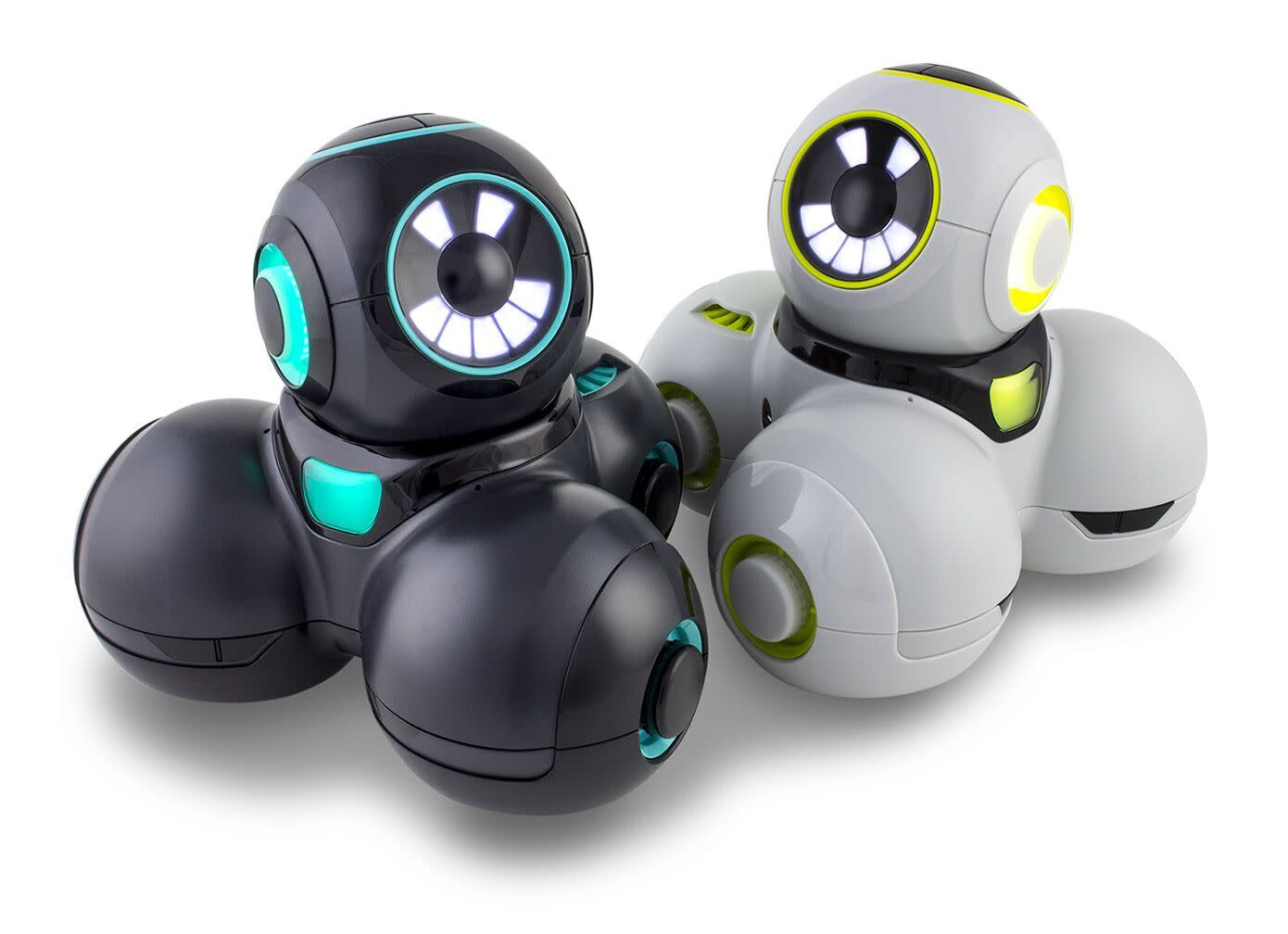
Cosmo 


This is a much newer robot and has lots of potential, so worth keeping an eye on. Supplies have been tricky to get recently, but hearing rave reviews. You can buy a lesson guide with the robot too. 

Direct link: digitaldreamlabs.com/pages/cozmo


Dash & Cue

These have been designed from the ground up to teach robotics and have been used very successfully at our sister school in Malaysia. 

https://www.makewonder.com/compare_robots/

Lesson Plan archive: https://www.makewonder.com/blog/tag/lesson-plan/


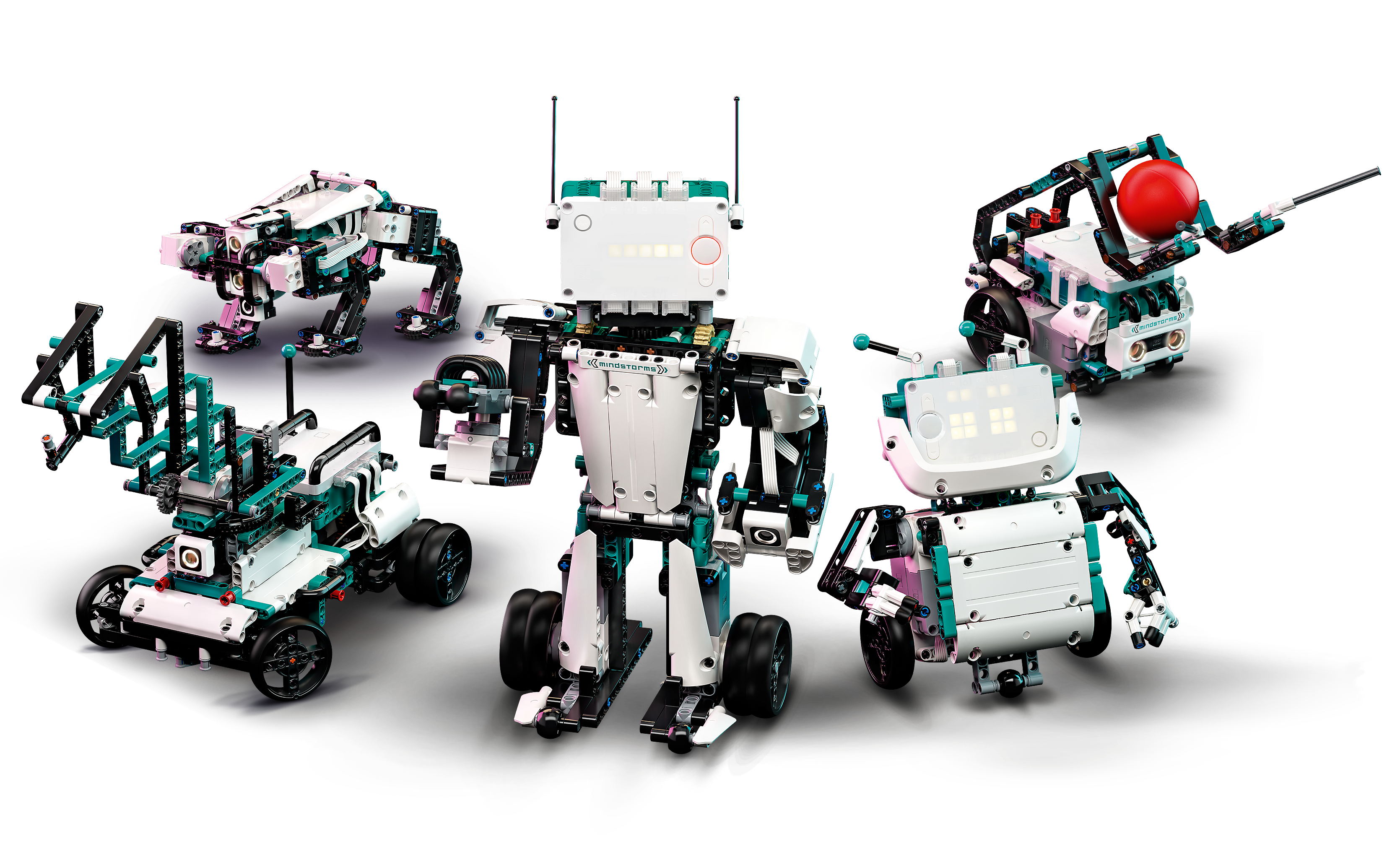
Lego 

A lot of the fun is actually building this robot, so its great for an after schools club and completely reusable. However it takes a while to get to the programming and computational thinking, so that can be a limitation if used in class. 

https://www.lego.com/en-my/product/robot-inventor-51515


Lego now have a full education system with STEAM and bricks with sensors, so that is well worth looking into. https://education.lego.com/en-us/learningsystem#the-lego-learning-system The quality is as you'd expect from Lego with prices to match. (Much cheaper in the UK rather than in South East Asia)

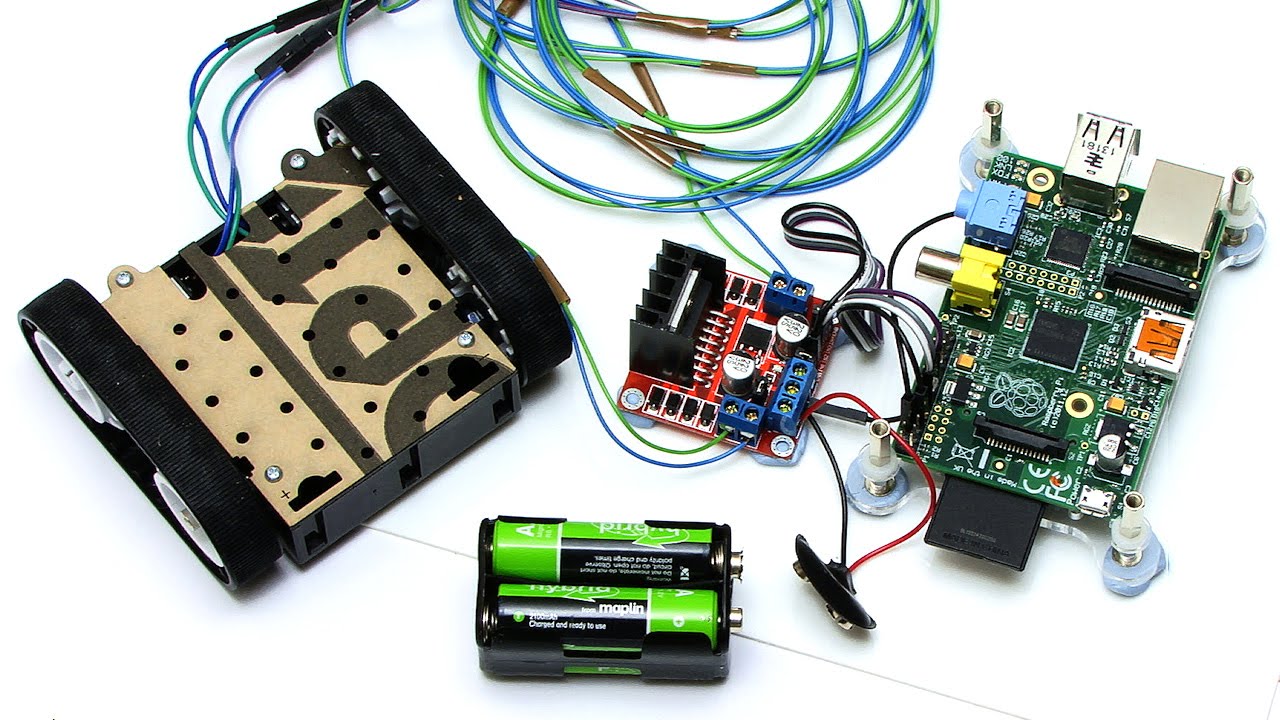
Raspberry Pis can make all sorts of robots


These are great, but be warned there are smaller parts and some robots will need a little bit of soldering. However if you are running a workshop and the students get to take away their project. These are fantastic. This is just a small selection of what's available:

Robotic ideas: https://raspberrytips.com/best-raspberry-pi-robots-kits/

Lesson ideas: https://www.raspberrypi.org/teach/

Gopigo Robot: https://gopigo.io/


Sphero

These have come a long way since the days, when the original Sphero was just so much fun to play as a remote control toy, but boring to program. They've extended their range included a lot of great lesson and plans and worked hard to make real programming interactions. I find these to be genuinely hard-wearing and have done well in all the classrooms I have used them.

There's now a great range of lesson plans:

Lesson activities: https://edu.sphero.com/cwists/category

Matatalab

This one is great fun, because it is board based. 

Thanks to Sethi De Clercq for the recommendation.

https://matatalab.com/en

Kubo

Another board based robot that also looks very useful for teaching.

Thanks to Sethi De Clercq for the recommendation.

https://kubo.education/

Wednesday, 29 December 2021

Digital Storytelling


I very much enjoyed presenting "Visually teaching vocab to younger students (KS1 aged 5-8)". It's been a while since I did anything for younger years and I was very pleased by the reaction of everyone. We now have such powerful tools in our hands compared to what I had when I was teaching EAL students! I remember all that paper cutting & whiteboard writing! Nathan also does two excellent sessions to help you make stories, so well worth a watch!


Thursday, 12 August 2021

Presenting on Zoom (2021 Summer edition)

Over this past 18 months we've learnt a lot about presenting online and with teachers changing schools, going online, having to do Hyflex learning etc I thought I'd share what I've learnt about the various ways you can present and the advantages and disadvantages of each.  I've pretty much tried them all as far as I can tell and they all come with pros and cons!

Consider Recording Your Presentations

When I first started teaching online, I found it much easier to record my presentations and share them via Youtube. There are lots of screen-recording options including Loom that is incredible and free for educators and I'd use it as a free option.  I actually use Camtasia, (10% discount link thanks to FlippedClassroom)  because I have a license and am incredibly comfortable with it.  If you have budget for it and plan to make a lot of videos this is well worth the money and is what most streamers use. Don't forget Keynote and PowerPoint enable you to record videos directly in the app. PowerPoint even has a coaching function!

Once you've recorded your video, you can then upload it to youtube and it can be watched on pretty much any device.  You can also use Edpuzzle, TED Lessons or put into a Google Form. to add formative assessment.

During the lesson you can simply ask students to watch the video and they are much more likely to be able to watch it in the quality you wanted it with the animations fully in-tact.  It also means you can answer questions in the chat as students watch. 

I do not recommend screensharing videos EVER! I have NOT once experienced a video shared on-screen that matches the quality of Youtube. Much better to give them the link & let students play or if you need to check put it into Edpuzzle with some questions.  Too many teachers think what they see on their screen is what can be seen by the student.

No Animations Required

Zoom recently introduced a presentation mode. This is great, because it appears in your camera with you conveniently placed on your slides. You don't even need a green screen for you to be cut out.


If you feel this doesn't quite do what you want and you want something a bit more advanced then mmhmm gives you a lot of flexibility and Prezi video gives you a really dynamic feeling to your presentation. Both are giving free subscriptions to educators.  They also enable you to record your presentations in advance in an attractive format.


Presenting in a window (Need animations)

If you need animations then chances are you will want to use PowerPoint of Keynote.  Both now have a present in a window option. This means you will be able to see your presentation and the students in zoom.

Keynote presentation in a window

PowerPoint presentation in a window


Peardeck (Interactive Presentations)

Our school has a license to peardeck and it has been incredibly useful to help us make our presentations fully interactive. If you are inside the European Union, please check privacy policy for your country.  NearpodQuizizz both have some similar functions if you are looking for an alternative.

Peardeck will work with PowerPoint or Google Slides. However animations are tricky, but the tradeoff is that you can create really interactive slides with questions, links and videos inside the presentation. You can also choose to make it instructor or student paced. 

The real downside with Peardeck is that it really needs to be on a laptop for students to be able to comfortably access both Zoom and peardeck at the same time. We've had numerous problems with iPads and its use as part of a live lesson. Student paced is generally fine, but if you want to present then present live and give questions in a student paced Peardeck. 

Subtitles & Closed Captions

Generally I avoid using Slides directly in Zoom, because there isn't a present in tab option and it isn't well integrated on mac unless you have 2 screens. I'd rather download and present on PowerPoint or use the Peardeck plugin.  This was because on a single screen it was difficult to follow where your tab would appear.

Go to bottom left of the screen and you will see the presenter menu with captions


However PowerPoint and Slides do enable Closed captioning, which is not only great for students in noisy environments, hard of hearing but also if their internet isn't perfect they will see the subtitle for longer and not miss words. It is important to set the language to the one you are speaking down to the dialect, so English UK works very well for me.


PowerPoint even has live translation, which is really helpful for EAL students. 

Summary Table


I hope this is a helpful guide, please share your tips in the comments. 


Friday, 26 March 2021

Meditation is BORING! But a meditative video game might just do the trick.

For some adults and children, the idea of meditating is boring! And they're exactly the kind of people that would benefit from some kind of relaxation the most! Many video games are all about excitement and getting the blood pumping, but there are an increasing number of games that are about relaxing and having a wonderful time exploring.  Minecraft in creative mode is an excellent example of this and another game that people have found incredibly relaxing and intriguing at the same time is ABZÛ.  

This game is all about going underwater, but unlike the terror inducing underwater sections of Sonic this game removes the survival aspect and lets you freely explore underwater realms.  It takes you through incredible underwater seascapes and to see beautiful fish and underwater structures.

I bring this game to your attention, because right now it is completely free for Playstation with Play at Home


This game is also available to buy on Xbox, Windows and Nintendo Switch. See publisher Website.


Tuesday, 8 December 2020

Happy Christmas - Enjoy a Coding Adventure!

 I've made a little Christmas Coding book for everyone to enjoy! These challenges work perfectly on a wide range of computers including the Raspberry Pi!  


Tuesday, 14 April 2020

Latest Zoom Leaks: What it means and how can you be more secure?


500,000 accounts leaked makes for good headlines on sale on the dark web makes for good headlines, so why exactly are they being sold for less than a penny each? 

Firstly as a school, most teachers and students should sign in using their Google ID, so that Zoom does not get your passwords.  These were NOT part of any leak.

Secondly, this does not appear to be as exciting as it first appears, because a lot of the data appears to be meeting IDs or sign-ins rather than the actual sign-ins with usernames AND passwords.  In many cases these USER IDS have been matched to passwords stolen from Google, Microsoft, Facebook et al in previous attacks.

Right now, Zoom is a hot target, because it provides the service everyone wants.  Two pieces of advice to ensure you stay more secure:

1. If you sign up for any online service that's free, be sure to use passwords that you don't use for banks, payments etc. 

2. If you have a choice, use your Google or even Facebook ID, because that's one more layer a hacker has to get through.

Remember that it costs a lot of money to keep a service secure and Zoom has definitely been experiencing growing pains.

Stay safe everyone!

About James Abela

Before becoming a teacher, James Abela used to work as a web-developer and was responsible for the security of several million pounds worth of intellectual property. Also fought against Russian hackers.

Sunday, 5 April 2020

Zoom Video Conferencing Security for the non-technical

Tl;dr Make sure you use passwords, use and read waiting room IDs, give students meeting ID only just before the meeting.

The new focus on Zoom has meant hugely increased scrutiny from incompetent journalists who know nothing about cyber-security and competitors highlighting features that apparently make them more secure! In this article, I take you through the security Zoom has and how to make sure you are comfortable with that security.

There has been a lot of discussion over which is the best conferencing software for classrooms and all of the solutions I have seen have flaws. All of the conferencing software has been developed with corporate meetings in mind.  So for classroom purposes, there are features missing.

Zoom is the most feature rich from a teacher point of view.  It has key features that teachers love:

  • Waiting Room - students are admitted into the room by a teacher. Also prevents unwanted guests
  • Thumbnail video of everyone - Everybody can be seen in Zoom up to 49 people, which is enough for you to see all your class at once.
  • Breakout rooms - You can send students to smaller rooms, so that they can talk with each other.
  • Built in whiteboards - Not unique, but helpful.
However until this crisis Zoom was a small player and so went down a route of user convenience, meaning that you could just send out a link and join a meeting.  With the spotlight on them, this has now changed, by default you need a meeting ID, password and the waiting room is on by default.


Why are all of these features important?

When there were relatively few meetings, 9 numeric digits seemed like plenty, but now there are  200 million meetings every day with zoom. Even with a simple brute force attack you might be able to guess a number to zoom-bomb.   

However the password is a good deal more difficult to guess, so it is essential that this is ON.

Secondly, although a stranger might be able to come into your room by random they are unlikely to have the name of one of your students and so it is important to read every name in the waiting room.

With these three features setup, security from a teacher point of view is good.

The Odds

For the mathematically inclined your odds of guessing are: 
Chances to guess meeting ID: 200,000,000 : 999,999,999
Chances to guess password:    1:9999999999

Once you combine these then the odds of a simple brute force attack are tiny and actually smaller than using a leaked Office 365 account or Google ID to get into a meeting.


Students complicit

In some cases students have been giving away their personal information and meeting codes.  Therefore an additional security measure is to not give meeting IDs out too long before the meeting.  You can still schedule them, but only share with the students shortly before the meeting,  

Note if students misbehave, it is easy to enough to put them back into the waiting room. Be wary of kicking students out completely, because depending on your setting they will not be able to come back to the meeting.

Student Guidelines

Like anything else students need to know the rules that will keep them safe and have a smooth classroom. Here are the guidelines I use to run my lessons smoothly:
  • I assign a monitor every lesson to let me know if my video and presentation is smooth. They stay on audio for the whole time I am presenting
  • In Google Classroom, I ask a question to ensure everyone is active in the class and it helps to make registration smoother (This reduces the time I need to take a registration, because I can see instantly who is not there and ask directly) 
  • Students are told to be fully dressed and in a public space in their house.
  • Students must use their real names.

Teacher Tricks

I use these to help students, but also to reduce frustration because that's the surest way to ensure a student doesn't cooperate: 
  • I still use Google Classroom for students with weaker internet. 
  • I assign one Google Doc for the whole lesson with all the instructions in it, so that students have less screen flicking to do and can follow the flow even if their internet drops out mid-lesson. (Be sure to encourage use of offline docs.) 
  • I use Google Slides with the captions function to help students who are EAL
  • I record the lesson locally and upload to an unlisted youtube area. (In Malaysia, students can use Youtube data with 3G very cheaply).  If there is not an incentive to use YouTube, then use Drive instead.
  • I use a second screen so that I can see the student thumbnails at all times. (One good feature of Zoom is that even on a single screen you can see active students when screen sharing)
It might be obvious, but please don't share your Zoom classrooms on Social media... Notice how there's no picture of zoom in use here!

Alternatives to Zoom

There are quite a few alternatives to Zoom. Internet infrastructure varies and you might find one of these alternatives suitable for you.
  • Google Meet - Fully integrated into Gsuite, but lacks many of the features of Zoom
  • Microsoft Teams - Great for people with Office 365, but teachers who are not used to it have complained that the interface is cumbersome
  • CISCO Web-Ex most secure platform, but video performance is variable
These are more for specific purposes, but useful tools none the less: 
  • Streamyard - This enables up to 6 people on the call and you can broadcast directly for youtube. A good choice for assemblies and other events where you are going to give information to a larger gathering.
  • Flipgrid - A good way to be able to teach asynchronously
  • YouTube - Consider doing your presentations directly on YouTube. Don't forget you can add questions with TED ED Lessons or EdPuzzle


About James Abela

Before becoming a teacher, James Abela used to work as a web-developer and was responsible for the security of several million pounds worth of intellectual property. Also fought against Russian hackers.


Thursday, 5 April 2018

Getting Started With Computing Resources

Primary
For Primary I'd recommend the Barefoot computing resources and either making disposable robots such as what you can make with Raspberry Pi or using robots such as Dash and Dot which you are more robust.  There's plenty of options on the market, so have a look around. I'd make the decision in Vietnam when you know what you are doing.

For primary coding, I'd recommend Scratch as the go to tool if they're on Computers. Otherwise, Hopscotch, Scratch Junior and the new Swift coding for iPads (64 bit only)

Secondary

For Secondary you should do Python for iGCSE and A-level or Java for IB.  I've included a list of resources to help you get started.  I'd also recommend getting a good book for Python and as you are in the UK, I'd recommend checking them out at the library and see which you'd get along with. Java is generally considered more difficult than Python so I'd be careful about introducing it at Key Stage 3. Some have managed it at year 9 with some good frameworks. I've made a versal course that introduces the basics to year 8 for Python. https://versal.com/c/9tw8gy/secret-life-of-algorithms


General Resources

Hodder Key Stage 3
For a complete UK Key Stage 3 curriculum, this series is very useful:
(Interest disclosure: I am one of the authors) 

Barefoot computing (primary)
Great site for students beginning to code

UK Computer Science Curriculum

Dash & Dot Robotics

Apple's resources

Code To Learn
Scratch Based with some good resources

Code.org
Great organisation for beginner coders. I find it a little too on the rails in some parts.

Raspberry Pi Curriculum resources
Great for physical computing, but also a lot of good Python materials

Tynker
A very nicely packaged curriculum

Code Club Projects
Some nice projects here for Python

Please feel free to add other resources in the comments.... I'm sure all will be appreciated!

Sunday, 11 February 2018

Python Challenges Major Update

The Python Challenges site that I run has been through a major overhaul over the last 2 months, including a rewrite of most of the code providing interactivity.

A part of the reason for doing this is that Awesome Table are now charging for anything above 1,000 views per month and the fees are more than I can afford for what is a free site. Its a great tool, but I can't afford to spend on something I give away for free...

So I used this opportunity to update the site and rethink how it works. Initially I wanted to replace Awesome Table with some custom written javascript. (You can see this on the AS page) but I soon realised that this was a good opportunity to hand curate the important challenges and make them more engaging.  So both the iGCSE and A2 pages have been written by hand to give them a more individual flavour.

To make my life simpler, I now simply publish the master list of challenges directly from Google Sheets, it may not be quite as nice, but its quick, simple and Google aren't likely to charge me for the service in the near future.

Despite these challenges, the Website now feels more mature with hand curated challenges that really engage students and the A2 pages in particular have benefited from some new challenges created by my students.  I was very pleased to see the work that Jonathan and Sam have done on Prolog and Object Oriented challenges.

I hope you enjoy the new version of the site and please contribute by making comments below and sharing your thoughts!

The link is: http://pythonchallenges.weebly.com/

Friday, 17 November 2017

Google Docs for Code... Github's got it going...

Great news, the Atom code designer now looks like it will have real time collaboration. This is great in the classroom where students can begin to code together in school and at home.  Even more useful for students to help each other debug....


It takes a little more effort to install than Google Docs, but it looks well worth a try.  As a bonus, it is a great editor and I use it all the time for LUA. I may now also consider doing some Python with it too....


Find all the details at: https://blog.atom.io/2017/11/15/code-together-in-real-time-with-teletype-for-atom.html 

Saturday, 21 October 2017

Making GForms Quizzes less sensitive

Over the summer Google enabled short answers on their quiz functions. This is wonderful news. However as with all standardised forms, spelling matters and capitalisation matters!  However there are some ways to make things a little easier for students or at least give them a sense of fairplay.


In this example we want a name, so we insist that it contains at least one capital letter [A-Z] 

We could also insist that the characters are all lower case using matches and [a-z ]+
Note the space is really important if you want to have more than 1 word. 


Perhaps you are concerned about people using dogs rather than dog. In many cases both might be correct. Well you can sort that quickly using a maximum length.


You can also use numbers and this can be a great way to not only test maths questions, but also to give a large range of options with a multiple choice diagram,


For example you can easily ask test questions about this heart with a few simple short answer questions rather than do a dropdown from 1-8 or multiple choice.


If you'd like to do more complex regex expresions there's a great site to help you: https://regexr.com/ Please note that there are dialects, so not all regex you find on the internet will work with Google forms.

Tuesday, 27 June 2017

Differences between A-levels, iGCSES & IB

There are a number of international qualifications around and it is important to know the differences between them. I want to state that all of these qualifications are highly thought and any one of them will help you on your route to university.

iGCSEs taken at 16.

Let us start with iGCSE. iGCSEs are the international version of the GCSE, which students in the UK take at the age of 16.  These give teachers and parents a good idea of how well a student might do academically.  In the UK at least a C in Mathematics and English is a must for most employers. iGCSE grades are taken into consideration when applying for university and will help the university to decide what conditional offer to make.  It is expected that most students will take iGCSEs and it can make if your child has NOT taken iGCSEs it may mean you have to delay your application until after they have either their A-level or IB results.

It is possible in some circumstances for you to enter a university foundation programme straight after your iGCSEs, but many programmes need students to be 17 to enter such a programme.

http://www.cie.org.uk/programmes-and-qualifications/cambridge-secondary-2/cambridge-igcse/

IB Diploma Programme suits All-rounders
Many schools offer an IB Diploma programme which is widely respected and offers a very good all round preparation for university. It means that students do not have to limit their choices so much at 16 and suits students who are all-rounders.  If a student can handle languages, science and the arts then this could be the best option and is able to write large essays independently then this could be the best option.

http://www.ibo.org/programmes/diploma-programme/

A-levels enables earlier specialisation
A-levels originate from Britain and students choose 3-4 subjects, it is up to the student how balanced these are, but if your child definitely wants to do science then they can do so, if your child is not good at languages then these can be avoided etc.  On top of the 4 A-levels students can choose to do an extended project, which is similar to the IB Extended Essay.

http://www.cie.org.uk/programmes-and-qualifications/cambridge-advanced/cambridge-international-as-and-a-levels/

Worldwide Acceptance

Both are accepted world wide and although in the UK A-levels are the more common qualification universities are happy to make an offer based on IB results. (These offers have improved in recent years as universities gain more experience with the IB qualification)  Australia have tariffs for both qualifications and it is a simple matter to apply. 


The US
However if you are intending to go to the US there are some other considerations. Many US universities require SAT exams to be sat (https://collegereadiness.collegeboard.org/sat) and you will need to make time for these.  Also currently if you take modular A-levels you may get unconditional offers from a US university based on your AS-level grade.

Saturday, 8 October 2016

Python for iGCSE & A-level

Sometimes you just wish you could find that perfect Website to help teach something. Over the last year or so I've been busy collating and compiling Python links, so I thought it was about time I shared them with you all!   There's a lot of high quality resources here, but also some which whilst not perfect have the seed of an idea that can be useful!

Have you found any Python Websites? Please comment below.


PythonWebTools


Visualize Python, Java, JavaScript, TypeScript, and Ruby code execution
Jabela's Pastebin - Pastebin.com
HTML Basix - iFrame code generator

Sorting


The Bubble Sort — Problem Solving with Algorithms and Data Structures
Bubble Sort In Python
The Insertion Sort — Problem Solving with Algorithms and Data Structures
Insertion Sort In Python
Bubble Sort
www.cc.gatech.edu/classes/AY2011/cs1301_fall/codesamples/sorts.py
Lesson 2: Bubble Sort - Worksheet - Visualising Sorting with Python | Raspberry Pi Learning Resources
Lesson 3: Insertion Sort - Worksheet - Visualising Sorting with Python | Raspberry Pi Learning Resources
Lesson 3: Insertion Sort - Lesson Plan - Visualising Sorting with Python | Raspberry Pi Learning Resources
Lessons - Visualising Sorting with Python | Raspberry Pi Learning Resources
Miniconda — Conda
Anaconda 2.5.0 Package List — Continuum documentation
Download Anaconda now! | Continuum
Compare sorting algorithms' performance - Rosetta Code
Sorting algorithms/Insertion sort - Rosetta Code
Sorting algorithms/Bubble sort - Rosetta Code
The Quick Sort — Problem Solving with Algorithms and Data Structures
Overview of quicksort | Quick sort | Khan Academy
Sorting Algorithm Animations
bubble sort on Scratch
Bubble Sort - GeeksQuiz
SparkNotes: Bubble Sort: Bubble Sort Problems

tkinter


Introduction to Tkinter
GUI Programming with Python: Labels in Tkinter
Dialog Windows ::: An Introduction to Tkinter ::: www.effbot.org
An Introduction to Tkinter (Work in Progress)
Simple GUI Programming | Using Python
TkDocs - Tk Tutorial

Challenge Sites


Practice Python
Python-programming-exercises/100+ Python challenging programming exercises.txt at master · zhiwehu/Python-programming-exercises
Where can I find programming puzzles and challenges? - Programmers Stack Exchange
[2015-11-23] Challenge # 242 [easy] Funny plant : dailyprogrammer
Coderbyte | Practice programming and prepare for coding bootcamps and job interviews
Prolog Problems - Prolog Site
LessThanDot - Forum - View forum - Programmer Puzzles
For learning, refreshing, or just for fun!
Algorithmist

Installers


Welcome to PyInstaller official website
compilation - Create a single executable from a Python project - Stack Overflow
py2app - Create standalone Mac OS X applications with Python — py2app 0.9 documentation
How to create Windows executable (.exe) from Python script
From a Python script to a portable Mac application with py2app
Creating an Executable from a Python Script | Matt Borgerson

Lists


Learn Python The Hard Way
Python Lists
3.2. Introducing Lists
Python Lists and Tuples | Python Central
Find the Average, Min, Max and Mode of a List in Python
List Manipulation in Python

Strings


Cutting and slicing strings in Python - Python Central

FIle Management


Python3 Tutorial: File Management
Python File I/O - Python3 Tutorial
File handling — Python for you and me 0.3.alpha1 documentation
Reading from a file
Python 101: Reading and Writing CSV Files « The Mouse Vs. The Python
Reading and Writing Files in Python
Chapter 8 – Reading and Writing Files | Automate the Boring Stuff with Python
OpenTechSchool – Working With Text Files
13. Files — How to Think Like a Computer Scientist: Learning with Python 3
Files
Python Cookbook
Reading and writing text files in Python - Python - Snipplr Social Snippet Repository
OpenTechSchool – Working with Strings
Files - Dive Into Python 3
7. Input and Output — Python 3.5.1 documentation
Python Files I/O
File Handling in Python

Object oriented


Programming Concepts: Object-oriented programming (OOP) - Wikibooks, open books for an open world
Object-Oriented Programming | Unit 1: Software Engineering | Introduction to Electrical Engineering and Computer Science I | Electrical Engineering and Computer Science | MIT OpenCourseWare
An Introduction to Interactive Programming in Python (Part 2) - Rice University | Coursera
Improve Your Python: Python Classes and Object Oriented Programming
Object oriented programming in Python
Object Oriented Programming · A Byte of Python
Quickly Learn Object Oriented Programming - Learning web development | MDN
1.13. Object-Oriented Programming in Python: Defining Classes — Problem Solving with Algorithms and Data Structures
Chapter 11. Object-Oriented Programming
Python/Classes - Wikiversity

SQLLite


A thorough guide to SQLite database operations in Python
SQLite Python tutorial
SQLite Python Tutorial
SQLiteStudio - Downloads
Welcome to SQL | SQL basics | Khan Academy
GIS Skills Ladders 2017 - Google Docs

General

Installing Pygame for Python 3 on OS X — English
(the eff-bot guide to) The Standard Python Library
inventwithpython.com/chapters/
Dive Into Python
CHeckio
Dive Into Python
Learn Python The Hard Way
Code Like a Pythonista: Idiomatic Python
codecademy-exercise-answers/Python/Functions at master · BugraBalci/codecademy-exercise-answers · GitHub
Courses | Grok Learning
Program Arcade Games With Python And Pygame
Assignments — Problem Solving with Algorithms and Data Structures
Pygame Zero, a zero-boilerplate game framework for education | Mauveweb
GlowScript IDE
Python Programming Tutorials
Creating a Pygame window | Peter's Website
Python from Scratch: Object Oriented Programming - Envato Tuts+ Code Article
Non-Programmer's Tutorial for Python 3/Intro to Object Oriented Programming in Python 3 - Wikibooks, open books for an open world
Python Object Oriented
4. Object Oriented Programming — Python Practice Book
CS005x Course Info | edX
Google's Python Class | Google for Education | Google Developers
GUI Programming with Python | DevDungeon
Python Tutor - Visualize Python, Java, JavaScript, TypeScript, Ruby, C, and C++ code execution
Nerd Paradise : PyGame Basics Tutorial
Python Programming Language | Eduporium
Tutorials Basic - PyGame Tutorials
The Top 10 Pygame Tutorials | The “Invent with Python” Blog
Automate the Boring Stuff with Python | Practical Programming for Total Beginners
Program Arcade Games With Python And Pygame
Teaching Computer Programming to High School students: An introductory course using Python as the high level language
Learn Python The Hard Way
Runestone Interactive
Downloads - Leon Zhang
Hands-on Python Tutorial — Hands-on Python Tutorial for Python 3.1
Berkeley - EE61A - Computer Science (Python 3) - Spr 2012 - YouTube
CAS Community | Keystage 2 and 3 Python: "From beginners to bonkers"
A Byte of Python
Trevor Appleton: Writing Pong using Python and Pygame
Beginning Game Programming for Teens with Python - Ray Wenderlich
Writing a game in Python with Pygame. Part I - Eli Bendersky's website
“I Need Practice Programming”: 49 Ideas for Game Clones to Code | The “Invent with Python” Blog
Pygame [The Python Game Book]
An Introduction to Classes and Inheritance (in Python) - Jessica Hamrick
Welcome to Pygame Zero — Pygame Zero 1.1 documentation
pygame / pygame / Downloads — Bitbucket
Pygame tutorial #3: mouse events | Keeping it Small and Simple
18. Recursion — How to Think Like a Computer Scientist: Learning with Python 3
Python Programming Tutorials
Python + PyGame Install | Skelly Kiernan's Blog
Python Programming Tutorials
Learn Python - Free Interactive Python Tutorial
Using Tkinter | Using Python
OpenGameArt.org
Examples of applications written in Python
Introduction to GUI programming with tkinter — Object-Oriented Programming in Python 1 documentation
20 Python libraries you can’t live without | Python Tips
Practice Python
Learning Python Programming Language Through Video Lectures - good coders code, great coders reuse
46 Simple Python Exercises
Basic Python Exercises | Google for Education | Google Developers
www.cheat-sheets.org/saved-copy/python-cheat-sheet-v1.pdf
Core Python - DZone - Refcardz
Cheat Sheet: Writing Python 2-3 compatible code — Python-Future documentation
GCSE Computing Python Programming Resources
BeginnersGuide/Programmers - Python Wiki
Untitled
Building a basic GUI application in Python with Tkinter and wxWidgets
TkDocs - Tk Tutorial - A First (Real) Example
Hello, Again
Intro to programming with Python and Tkinter - Python Wiki
Introduction to Programming Using Python 3
Binary Search
Python Programming Tutorials
Tkinter tutorial
Zero to Hero with Python | Code Geek
Zero to Hero with Python - YouTube
omarshammas/pyPoker-Texas-HoldEm: Python implementation of Texas HoldEm Poker
Python School
Google Code Archive - Long-term storage for Google Code Project Hosting.
FrontPage - py2exe.org
The Best Way to Learn Python - Envato Tuts+ Code Article
Python: Get Today’s Current Date and Time
PythonByteSize - Home
SoloLearn: Largest community of mobile code learners
Python – Programming Language
Introduction to Programming Using Python 3
Tutorials/Basic logic gates – Official Minecraft Wiki
University Subject References 2016-17 - Google Docs
how to declare a 2D array in python
Python - Multi-Dimensional Arrays or Matrices
Writing a pyglet application — pyglet v1.2.4
EduPython