Great news, the Atom code designer now looks like it will have real time collaboration. This is great in the classroom where students can begin to code together in school and at home. Even more useful for students to help each other debug....
It takes a little more effort to install than Google Docs, but it looks well worth a try. As a bonus, it is a great editor and I use it all the time for LUA. I may now also consider doing some Python with it too....
Find all the details at: https://blog.atom.io/2017/11/15/code-together-in-real-time-with-teletype-for-atom.html
Showing posts with label GitHub. Show all posts
Friday, 17 November 2017
Wednesday, 30 December 2015
Using Versal To Flip The Learning
I looked at quite a few platforms to host my new course. Tackk is very simple and quick to use, but I soon hit the limits when I put my Scratch course together. Udemy and other online offerings are very much video focused and although I wanted to include video I didn't want it to be the main teaching medium.
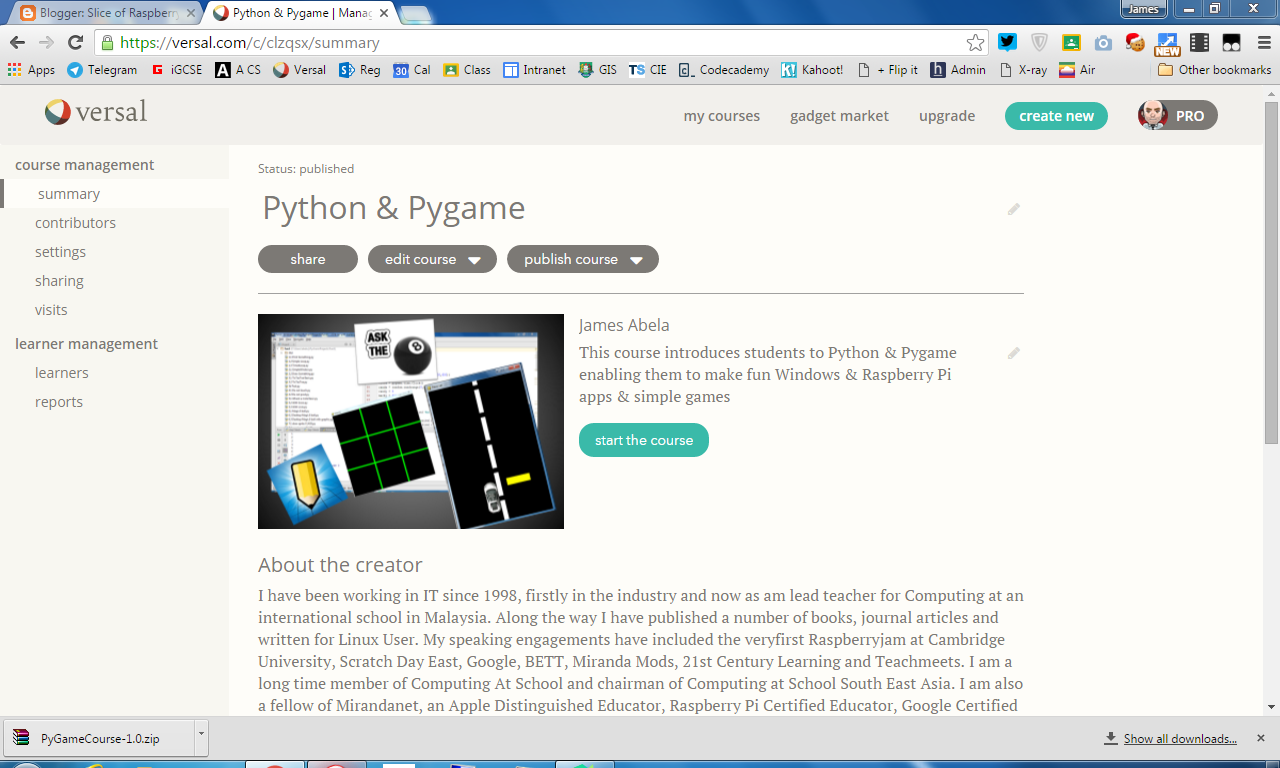
So I opted for Versal. Firstly let me stress Versal isn't really designed with coding courses in mind. It's a general purpose online teaching tool, but it has the flexibility built in to enable me to create the materials that I wanted. However there are some features that make Versal a great choice for this kind of course.
Firstly, you have all the standard tools that you expect to see in an editor such as the ability to insert videos, a good range of interactive quizzes and integration with Google Drive.
The most useful built into Versal is the Markdown editor, which conveniently has a Code option. This is wonderful for including little snippets of code. However it doesn't handle indentation too well, which is important for Python.
However to include longer pieces of code I turned to Pastebin.com this enabled me to include code quickly and also in a format that students could easily copy and paste materials without annoyances such as numbers and indentation problems. There are some limitations, in an embedded window you can only get about 30 lines of code. If you want to share a longer code sample, you are better off including a link.
Finally I included the code on GitHub. Useful enough to have a quick to download zip file, but I feel it's good for students to start using the industry standard tools as soon as possible: https://github.com/jamesabela/PyGameCourse
So I opted for Versal. Firstly let me stress Versal isn't really designed with coding courses in mind. It's a general purpose online teaching tool, but it has the flexibility built in to enable me to create the materials that I wanted. However there are some features that make Versal a great choice for this kind of course.
Firstly, you have all the standard tools that you expect to see in an editor such as the ability to insert videos, a good range of interactive quizzes and integration with Google Drive.
The most useful built into Versal is the Markdown editor, which conveniently has a Code option. This is wonderful for including little snippets of code. However it doesn't handle indentation too well, which is important for Python.
However to include longer pieces of code I turned to Pastebin.com this enabled me to include code quickly and also in a format that students could easily copy and paste materials without annoyances such as numbers and indentation problems. There are some limitations, in an embedded window you can only get about 30 lines of code. If you want to share a longer code sample, you are better off including a link.
Finally I included the code on GitHub. Useful enough to have a quick to download zip file, but I feel it's good for students to start using the industry standard tools as soon as possible: https://github.com/jamesabela/PyGameCourse
Subscribe to:
Posts (Atom)