There are so many great free ways to create Website and online lessons now and each one has its merits. Over the last 12 months, I've been trying to use quite a number of them and finding the pros and cons of each method.
Tackk
This is probably the easiest Website creator I have found and it is quick enough to use that you can use it for a single lesson. It has all the basic features you would expect and a linking system that enables you to connect to anything on the web.
Pros
- Quick to use
- Ease of use
- Looks good
Cons
- Little more functionality than a Google Doc
Versal
I felt that I outgrew Tackk pretty quickly and so was very happy to find Versal it has many more features, has a side-navigation menu that makes it ideal for doing units or short courses. This is now my preferred choice for developing units for my younger students (ages 12-14)
Pros
- Includes quizzing tools
- Wide range of embedding functions
- Can include html code (markup)
Cons
- Interface takes more time to master
- Users need to sign in to access courses most comfortably (There is a workaround for Pro users)
Wix
Wix makes some very good looking websites, but without payment there's a large number of adverts and these can be distracting for students.
Pros
- Professional looking
- Easy to use
Cons
- Advertising
- Limited features for free users
Weebly
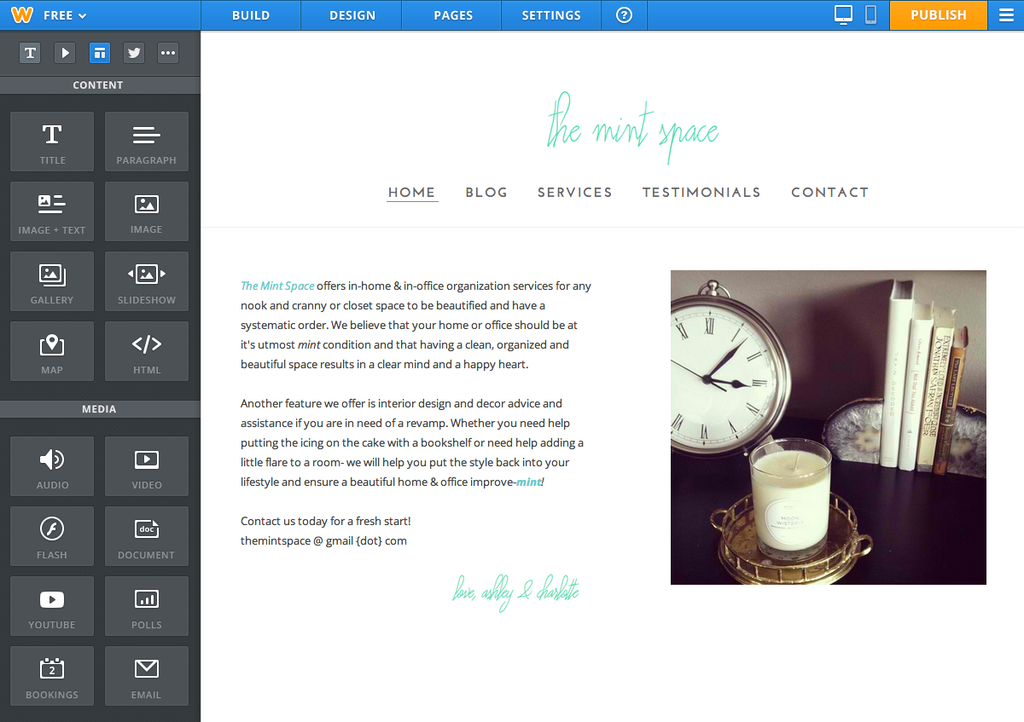
Weebly is a great developer and as an education user you do not have adverts in it. The templates are both professional and flexible. The interface is easy to use, but once you press publish or delete a page there's no history functionality.
Pros
- Professional Look and feel
- Forms functionality
- intuitive interface
- Blogging tools
Cons
- No history function to correct mistakes
- Limited search functionality
- Limited integration with Google apps
Google Sites
This is the grandfather of online based web-development tools and it shows in what many people consider to be a rather plain look and feel. The menus are not that intuitive, but the full power of google is available. For many years we have all hoped that it would be updated, but nothing has happened. Even so, I use it for all my Keystage 4 and 5 courses, because that power is not to be underestimated. It has the scaleability that simply is not there is other systems with the full force of Google's search engine.
Pros
- Full integration with Google Apps
- Google Sign in supported
- Immensely powerful search
- Almost unlimited storage for edu users
- History function
- Page level editorship
Cons
- User interface is not intuitive
- Old-fashioned feel to it