Showing posts with label coding. Show all posts

Friday, 1 July 2022

Robotics for primary


Robots for schools

Once upon a time I taught primary and so I wanted to do a quick write up of the robotics systems that I've used and any resources that I know about. These are in no particular order and any of which could be suitable for your needs. I know that supplies can be challenging, depending where you come from so bear that in mind.  Don't forget to mix and match lesson plans, most lesson ideas will work with all these robots.

Beebots - simple & effective younger years

On the floor with the Beebots

The original beebots is great for younger years, because the controls are on the top of the robot and are great for paired programming. They can be used to teach directions, solve mazes and draw simple patterns (Attach an actual pen or pencil.)  There's many lesson resources for these robots and its well worth looking through the lesson packs even if you select a different robot.


Lesson ideas:

Suppliers

They're quite robust, but not indestructible.

Cosmo 


This is a much newer robot and has lots of potential, so worth keeping an eye on. Supplies have been tricky to get recently, but hearing rave reviews. You can buy a lesson guide with the robot too. 

Direct link: digitaldreamlabs.com/pages/cozmo
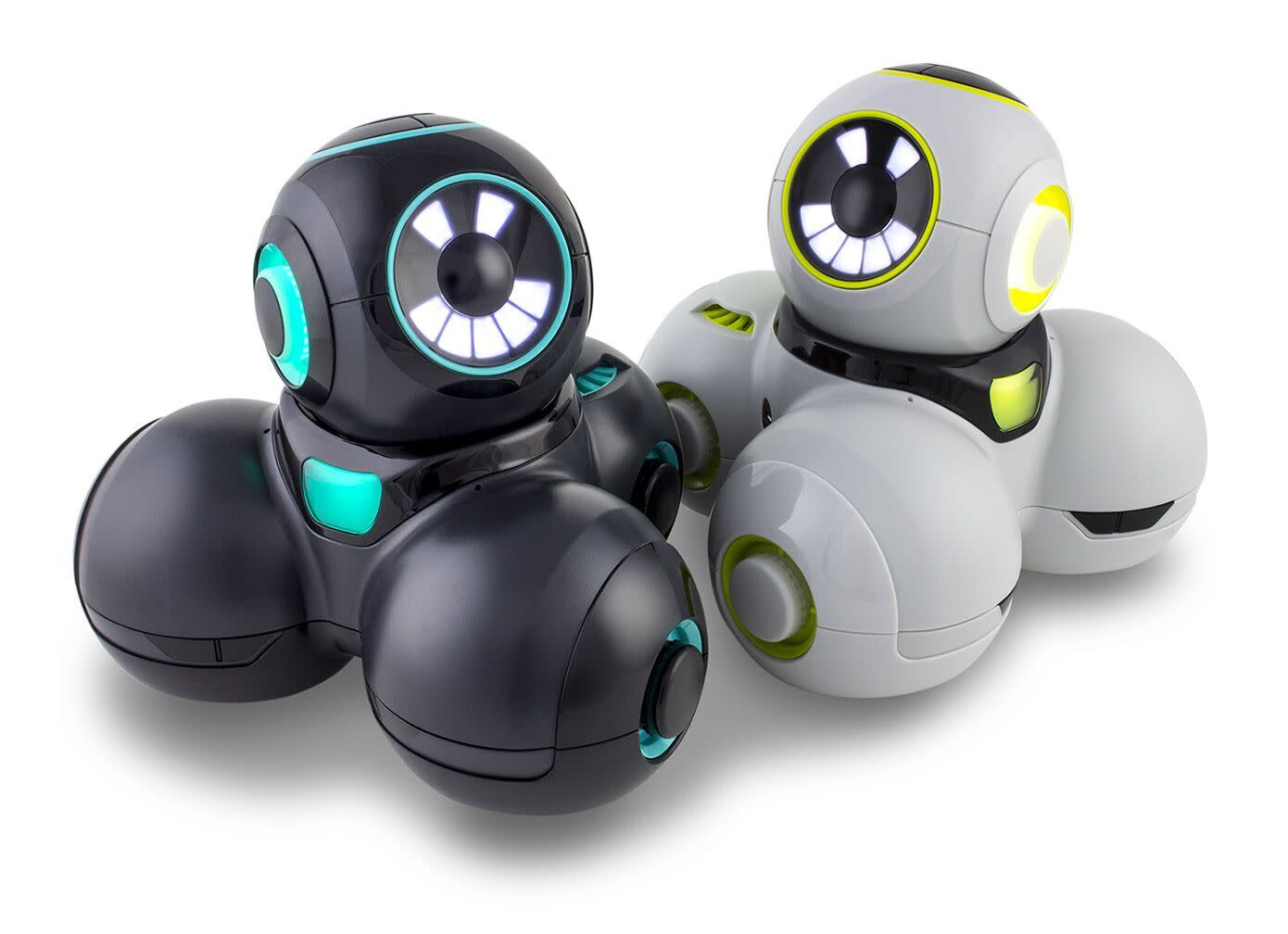


Dash & Cue

These have been designed from the ground up to teach robotics and have been used very successfully at our sister school in Malaysia. 

https://www.makewonder.com/compare_robots/

Lesson Plan archive: https://www.makewonder.com/blog/tag/lesson-plan/


Lego 
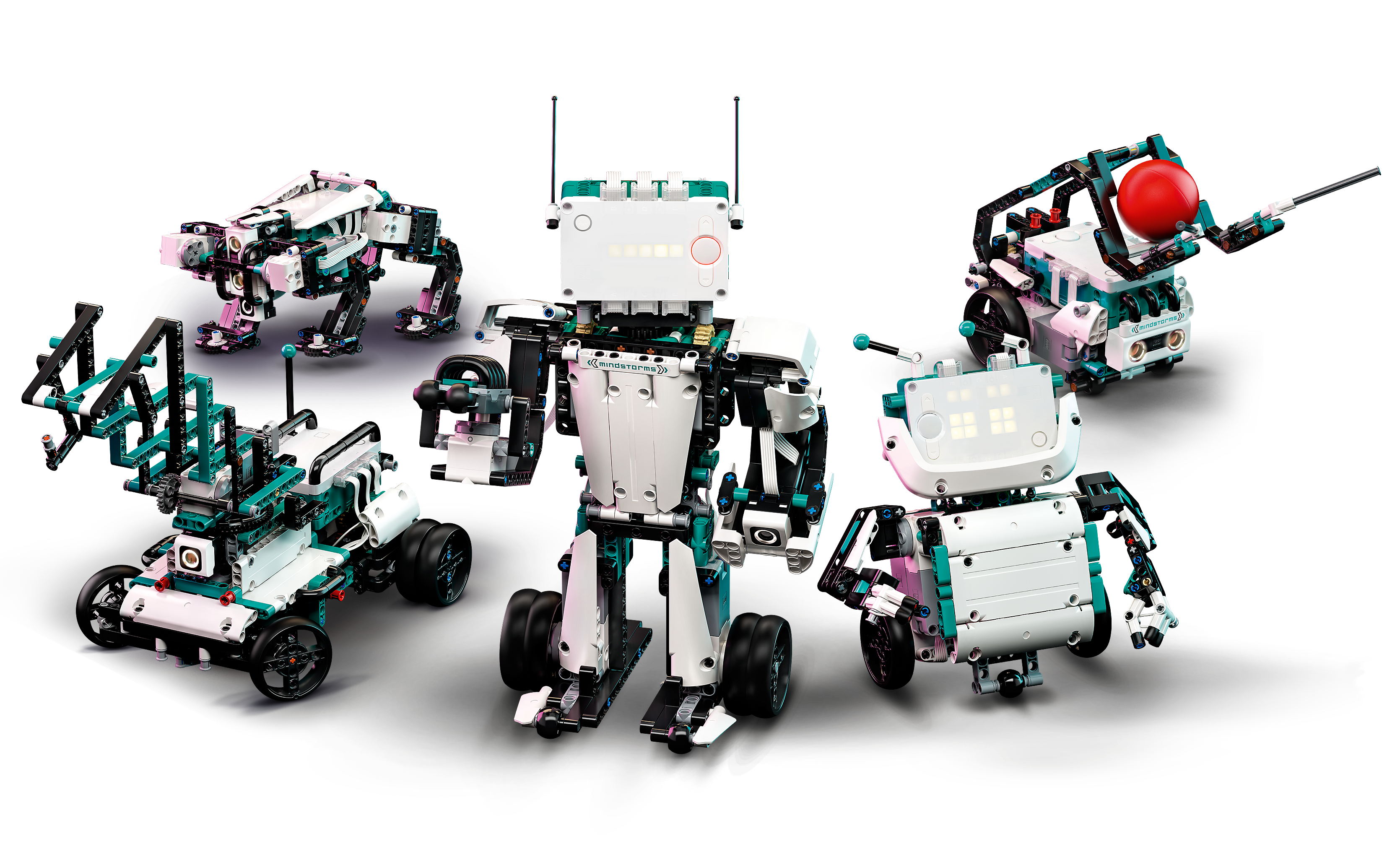
A lot of the fun is actually building this robot, so its great for an after schools club and completely reusable. However it takes a while to get to the programming and computational thinking, so that can be a limitation if used in class. 

https://www.lego.com/en-my/product/robot-inventor-51515


Lego now have a full education system with STEAM and bricks with sensors, so that is well worth looking into. https://education.lego.com/en-us/learningsystem#the-lego-learning-system The quality is as you'd expect from Lego with prices to match. (Much cheaper in the UK rather than in South East Asia)

Raspberry Pis can make all sorts of robots

These are great, but be warned there are smaller parts and some robots will need a little bit of soldering. However if you are running a workshop and the students get to take away their project. These are fantastic. This is just a small selection of what's available:

Robotic ideas: https://raspberrytips.com/best-raspberry-pi-robots-kits/

Lesson ideas: https://www.raspberrypi.org/teach/

Gopigo Robot: https://gopigo.io/


Sphero

These have come a long way since the days, when the original Sphero was just so much fun to play as a remote control toy, but boring to program. They've extended their range included a lot of great lesson and plans and worked hard to make real programming interactions. I find these to be genuinely hard-wearing and have done well in all the classrooms I have used them.

There's now a great range of lesson plans:

Lesson activities: https://edu.sphero.com/cwists/category

Matatalab

This one is great fun, because it is board based. 

Thanks to Sethi De Clercq for the recommendation.

https://matatalab.com/en

Kubo

Another board based robot that also looks very useful for teaching.

Thanks to Sethi De Clercq for the recommendation.

https://kubo.education/

Thursday, 5 April 2018

Getting Started With Computing Resources

Primary
For Primary I'd recommend the Barefoot computing resources and either making disposable robots such as what you can make with Raspberry Pi or using robots such as Dash and Dot which you are more robust.  There's plenty of options on the market, so have a look around. I'd make the decision in Vietnam when you know what you are doing.

For primary coding, I'd recommend Scratch as the go to tool if they're on Computers. Otherwise, Hopscotch, Scratch Junior and the new Swift coding for iPads (64 bit only)

Secondary

For Secondary you should do Python for iGCSE and A-level or Java for IB.  I've included a list of resources to help you get started.  I'd also recommend getting a good book for Python and as you are in the UK, I'd recommend checking them out at the library and see which you'd get along with. Java is generally considered more difficult than Python so I'd be careful about introducing it at Key Stage 3. Some have managed it at year 9 with some good frameworks. I've made a versal course that introduces the basics to year 8 for Python. https://versal.com/c/9tw8gy/secret-life-of-algorithms


General Resources

Hodder Key Stage 3
For a complete UK Key Stage 3 curriculum, this series is very useful:
(Interest disclosure: I am one of the authors) 

Barefoot computing (primary)
Great site for students beginning to code

UK Computer Science Curriculum

Dash & Dot Robotics

Apple's resources

Code To Learn
Scratch Based with some good resources

Code.org
Great organisation for beginner coders. I find it a little too on the rails in some parts.

Raspberry Pi Curriculum resources
Great for physical computing, but also a lot of good Python materials

Tynker
A very nicely packaged curriculum

Code Club Projects
Some nice projects here for Python

Please feel free to add other resources in the comments.... I'm sure all will be appreciated!

Friday, 17 November 2017

Google Docs for Code... Github's got it going...

Great news, the Atom code designer now looks like it will have real time collaboration. This is great in the classroom where students can begin to code together in school and at home.  Even more useful for students to help each other debug....


It takes a little more effort to install than Google Docs, but it looks well worth a try.  As a bonus, it is a great editor and I use it all the time for LUA. I may now also consider doing some Python with it too....


Find all the details at: https://blog.atom.io/2017/11/15/code-together-in-real-time-with-teletype-for-atom.html 

Friday, 19 June 2015

Learning Coding and ICT skills over the summer holiday


Scratch

Gives students a lot of freedom to make games, presentations and animations.  Here is the main site and some tutorials

Main Website: http://scratch.mit.edu/
Video Lessons: http://learnscratch.org/
Make a platformer videos: https://www.youtube.com/playlist?list=PLVrrd27oCnp4QoVAehcs9nYEIdnyKCrBN

Kodu

Designed to teach some computational thinking through making 3D games. Requires a Windows PC download.

Code.org

Great web-based set of fun tutorials to teach computational Thinking. Does not require any installation on a PC and works over most Internet connections.

Website: http://studio.code.org/

Codecademy

A more serious option, but one that teaches great skills such as coding Web-pages, Javascript and languages used by most computer scientists

Website: http://www.codecademy.com/

General ICT

Lots of courses for ICT on a wide range of applications. I'd recommend using PowerPoint and Excel (or equivalents) as the main applications to have a look at. on Alison.com
https://alison.com/

Thursday, 11 June 2015

Minecraft's Role in The Classroom

We had a great Inset on Tuesday where we used Minecraft in an ECA. In fact, what was particularly useful was that rather than have CPD where everybody gathers in a room and talks ABOUT students. We ran our CPD inside the classroom with the students right there to talk to and see what they felt about the experiences they were having.  The students in the class were building 7 wonders of the world in Minecraft. (This is my reflection on that discussion, rather than notes from the discussion.)

The question is, how can it be taken from an ECA and used within the curriculum?  

Successes So Far

We have seen a few successful implementations of Minecraft within the curriculum. Tanglin has created a great citizenship unit, which teaches types of governance.  They use a world MinecraftEDU and change the kinds of government.
There are also some great units available for teaching history


James York has used it extensively to provide prompts for writing and as an engagement tool.  See his TED talk


Coding

The ability make mods and program parts of Minecraft is a real boon to hook students into coding. As well as MinecraftEDU.  There's a great version for the Raspberry Pi.  Kano have done a great job of enabling the visual programming of Minecraft. For the more advanced, you can download Minecraft and use Python to play with the program on almost any version of Raspbian.


Another option is LearnToMod  (Currently $30 per year)

Installation

Installing MinecraftEDU is not the most straightforward of installs on a network and on the PC, we had to spend quite a bit of time getting it right, so that it could be accessed across all accounts.  It's fiddly and can cause problems. 

On our network, one Desktop PC can support up to about 12 clients on a world that is on a hard-wired internet connection and wirelessly a laptop can support 6 others. It is highly variable and you would need to test it on your school network to know what can be supported.

On the other hand, the Raspberry Pi edition was very simple to do, but does require somebody with either a basic knowledge of Linux or the pre-built Kano kit. 

Probably the simplest way to get access to Minecraft is on a tablet. Most seven year olds can hook it up and be playing using a peer based server in seconds. 

The Challenges Ahead

The difficulty with these implementations is the time taken to create a world and the educational benefits from that world. Few teachers have the time or the know-how to develop a complete world fro their students.  So far, what I have seen available on MinecraftEDU are a few worlds with relatively specific educational teaching points.   It is in fact, replacing a video as a prompt or creating a place for students to explore.

Perhaps one solution is to use student clubs to make the worlds and then use classroom time to either explore the world or watch a video of the world?

Monday, 16 February 2015

Python Programming Games


Most students are interested in programming, because eventually they would like to make games. Games are the rockstars of the computing world and a great way to hook people into the idea of coding!  Python is one of the languages that coders actually enjoy using!   In this posting, I am going to share some of the resources availabe to get you started:

My first choice for a book is http://inventwithpython.com/  and for a large range of resources PyGame is great as it adds the extra libraries you need to make graphically rich games.  There is a nice set of documentation to get you started in this area.  Codecadamy also has an excellent Python section, although it doesn't focus so much on games.

Built into the Raspberry Pi are a few games that you can play with the source code.

There are some lovely Hour of Code tutorials for Python to give students a taster and there's also a gamified system that teaches code, calded CodeCombat. This is well worth a look to get students started.