Saturday, 8 October 2016

Python for iGCSE & A-level

Sometimes you just wish you could find that perfect Website to help teach something. Over the last year or so I've been busy collating and compiling Python links, so I thought it was about time I shared them with you all!   There's a lot of high quality resources here, but also some which whilst not perfect have the seed of an idea that can be useful!

Have you found any Python Websites? Please comment below.


PythonWebTools


Visualize Python, Java, JavaScript, TypeScript, and Ruby code execution
Jabela's Pastebin - Pastebin.com
HTML Basix - iFrame code generator

Sorting


The Bubble Sort — Problem Solving with Algorithms and Data Structures
Bubble Sort In Python
The Insertion Sort — Problem Solving with Algorithms and Data Structures
Insertion Sort In Python
Bubble Sort
www.cc.gatech.edu/classes/AY2011/cs1301_fall/codesamples/sorts.py
Lesson 2: Bubble Sort - Worksheet - Visualising Sorting with Python | Raspberry Pi Learning Resources
Lesson 3: Insertion Sort - Worksheet - Visualising Sorting with Python | Raspberry Pi Learning Resources
Lesson 3: Insertion Sort - Lesson Plan - Visualising Sorting with Python | Raspberry Pi Learning Resources
Lessons - Visualising Sorting with Python | Raspberry Pi Learning Resources
Miniconda — Conda
Anaconda 2.5.0 Package List — Continuum documentation
Download Anaconda now! | Continuum
Compare sorting algorithms' performance - Rosetta Code
Sorting algorithms/Insertion sort - Rosetta Code
Sorting algorithms/Bubble sort - Rosetta Code
The Quick Sort — Problem Solving with Algorithms and Data Structures
Overview of quicksort | Quick sort | Khan Academy
Sorting Algorithm Animations
bubble sort on Scratch
Bubble Sort - GeeksQuiz
SparkNotes: Bubble Sort: Bubble Sort Problems

tkinter


Introduction to Tkinter
GUI Programming with Python: Labels in Tkinter
Dialog Windows ::: An Introduction to Tkinter ::: www.effbot.org
An Introduction to Tkinter (Work in Progress)
Simple GUI Programming | Using Python
TkDocs - Tk Tutorial

Challenge Sites


Practice Python
Python-programming-exercises/100+ Python challenging programming exercises.txt at master · zhiwehu/Python-programming-exercises
Where can I find programming puzzles and challenges? - Programmers Stack Exchange
[2015-11-23] Challenge # 242 [easy] Funny plant : dailyprogrammer
Coderbyte | Practice programming and prepare for coding bootcamps and job interviews
Prolog Problems - Prolog Site
LessThanDot - Forum - View forum - Programmer Puzzles
For learning, refreshing, or just for fun!
Algorithmist

Installers


Welcome to PyInstaller official website
compilation - Create a single executable from a Python project - Stack Overflow
py2app - Create standalone Mac OS X applications with Python — py2app 0.9 documentation
How to create Windows executable (.exe) from Python script
From a Python script to a portable Mac application with py2app
Creating an Executable from a Python Script | Matt Borgerson

Lists


Learn Python The Hard Way
Python Lists
3.2. Introducing Lists
Python Lists and Tuples | Python Central
Find the Average, Min, Max and Mode of a List in Python
List Manipulation in Python

Strings


Cutting and slicing strings in Python - Python Central

FIle Management


Python3 Tutorial: File Management
Python File I/O - Python3 Tutorial
File handling — Python for you and me 0.3.alpha1 documentation
Reading from a file
Python 101: Reading and Writing CSV Files « The Mouse Vs. The Python
Reading and Writing Files in Python
Chapter 8 – Reading and Writing Files | Automate the Boring Stuff with Python
OpenTechSchool – Working With Text Files
13. Files — How to Think Like a Computer Scientist: Learning with Python 3
Files
Python Cookbook
Reading and writing text files in Python - Python - Snipplr Social Snippet Repository
OpenTechSchool – Working with Strings
Files - Dive Into Python 3
7. Input and Output — Python 3.5.1 documentation
Python Files I/O
File Handling in Python

Object oriented


Programming Concepts: Object-oriented programming (OOP) - Wikibooks, open books for an open world
Object-Oriented Programming | Unit 1: Software Engineering | Introduction to Electrical Engineering and Computer Science I | Electrical Engineering and Computer Science | MIT OpenCourseWare
An Introduction to Interactive Programming in Python (Part 2) - Rice University | Coursera
Improve Your Python: Python Classes and Object Oriented Programming
Object oriented programming in Python
Object Oriented Programming · A Byte of Python
Quickly Learn Object Oriented Programming - Learning web development | MDN
1.13. Object-Oriented Programming in Python: Defining Classes — Problem Solving with Algorithms and Data Structures
Chapter 11. Object-Oriented Programming
Python/Classes - Wikiversity

SQLLite


A thorough guide to SQLite database operations in Python
SQLite Python tutorial
SQLite Python Tutorial
SQLiteStudio - Downloads
Welcome to SQL | SQL basics | Khan Academy
GIS Skills Ladders 2017 - Google Docs

General

Installing Pygame for Python 3 on OS X — English
(the eff-bot guide to) The Standard Python Library
inventwithpython.com/chapters/
Dive Into Python
CHeckio
Dive Into Python
Learn Python The Hard Way
Code Like a Pythonista: Idiomatic Python
codecademy-exercise-answers/Python/Functions at master · BugraBalci/codecademy-exercise-answers · GitHub
Courses | Grok Learning
Program Arcade Games With Python And Pygame
Assignments — Problem Solving with Algorithms and Data Structures
Pygame Zero, a zero-boilerplate game framework for education | Mauveweb
GlowScript IDE
Python Programming Tutorials
Creating a Pygame window | Peter's Website
Python from Scratch: Object Oriented Programming - Envato Tuts+ Code Article
Non-Programmer's Tutorial for Python 3/Intro to Object Oriented Programming in Python 3 - Wikibooks, open books for an open world
Python Object Oriented
4. Object Oriented Programming — Python Practice Book
CS005x Course Info | edX
Google's Python Class | Google for Education | Google Developers
GUI Programming with Python | DevDungeon
Python Tutor - Visualize Python, Java, JavaScript, TypeScript, Ruby, C, and C++ code execution
Nerd Paradise : PyGame Basics Tutorial
Python Programming Language | Eduporium
Tutorials Basic - PyGame Tutorials
The Top 10 Pygame Tutorials | The “Invent with Python” Blog
Automate the Boring Stuff with Python | Practical Programming for Total Beginners
Program Arcade Games With Python And Pygame
Teaching Computer Programming to High School students: An introductory course using Python as the high level language
Learn Python The Hard Way
Runestone Interactive
Downloads - Leon Zhang
Hands-on Python Tutorial — Hands-on Python Tutorial for Python 3.1
Berkeley - EE61A - Computer Science (Python 3) - Spr 2012 - YouTube
CAS Community | Keystage 2 and 3 Python: "From beginners to bonkers"
A Byte of Python
Trevor Appleton: Writing Pong using Python and Pygame
Beginning Game Programming for Teens with Python - Ray Wenderlich
Writing a game in Python with Pygame. Part I - Eli Bendersky's website
“I Need Practice Programming”: 49 Ideas for Game Clones to Code | The “Invent with Python” Blog
Pygame [The Python Game Book]
An Introduction to Classes and Inheritance (in Python) - Jessica Hamrick
Welcome to Pygame Zero — Pygame Zero 1.1 documentation
pygame / pygame / Downloads — Bitbucket
Pygame tutorial #3: mouse events | Keeping it Small and Simple
18. Recursion — How to Think Like a Computer Scientist: Learning with Python 3
Python Programming Tutorials
Python + PyGame Install | Skelly Kiernan's Blog
Python Programming Tutorials
Learn Python - Free Interactive Python Tutorial
Using Tkinter | Using Python
OpenGameArt.org
Examples of applications written in Python
Introduction to GUI programming with tkinter — Object-Oriented Programming in Python 1 documentation
20 Python libraries you can’t live without | Python Tips
Practice Python
Learning Python Programming Language Through Video Lectures - good coders code, great coders reuse
46 Simple Python Exercises
Basic Python Exercises | Google for Education | Google Developers
www.cheat-sheets.org/saved-copy/python-cheat-sheet-v1.pdf
Core Python - DZone - Refcardz
Cheat Sheet: Writing Python 2-3 compatible code — Python-Future documentation
GCSE Computing Python Programming Resources
BeginnersGuide/Programmers - Python Wiki
Untitled
Building a basic GUI application in Python with Tkinter and wxWidgets
TkDocs - Tk Tutorial - A First (Real) Example
Hello, Again
Intro to programming with Python and Tkinter - Python Wiki
Introduction to Programming Using Python 3
Binary Search
Python Programming Tutorials
Tkinter tutorial
Zero to Hero with Python | Code Geek
Zero to Hero with Python - YouTube
omarshammas/pyPoker-Texas-HoldEm: Python implementation of Texas HoldEm Poker
Python School
Google Code Archive - Long-term storage for Google Code Project Hosting.
FrontPage - py2exe.org
The Best Way to Learn Python - Envato Tuts+ Code Article
Python: Get Today’s Current Date and Time
PythonByteSize - Home
SoloLearn: Largest community of mobile code learners
Python – Programming Language
Introduction to Programming Using Python 3
Tutorials/Basic logic gates – Official Minecraft Wiki
University Subject References 2016-17 - Google Docs
how to declare a 2D array in python
Python - Multi-Dimensional Arrays or Matrices
Writing a pyglet application — pyglet v1.2.4
EduPython

Wednesday, 27 July 2016

Pi Minecraft Vs Minecraft Education Edition

Minecraft Education is a polished product, but it comes with a premium $5 per user per year.  Each student will need a Microsoft 365 account, so its personal to them.  There's some great features such as shared worlds and a great graphics engine designed for modern PCs and macs. I'd also stress that this is a fully featured PC version of Minecraft with Survival mode and some good features for teacher control.

However, Minecraft on the Pi is free, you just need to update to the latest version of Raspbian. If you already have Pis then you can simply get on and use it!

Now at this price if you want a lot of students to use Minecraft then you could actually buy quite a lot of Raspberry Pi hardware to play it on.  The other big advantage is that its the version that lets you use Python to build. If you've got 400 students who you'd like to play Minecraft once in a while then officially you should be paying $2000 for that experience per year.  If you invested that in buying Pis you get a version of Minecraft and so much more!


The costing for this will very much be down to individual schools and their setups. Some will have keyboards, Mice, Monitors that can be used with Raspberry Pis and others will have none of this, but as far as teaching potential is concerned the Pi brings a wealth of creative opportunities including a highly hackable version of Minecraft.

On the other hand if this is an after school club the loss of survival mode will be a big deal for most students and takes away a lot of their fun! Its also possible that students could pay for their subscription, which they will then be able to use anywhere.

Tuesday, 28 June 2016

Steps to Email Zen


Over the years I've had to deal with huge numbers of Emails, for example when I worked in ARM and went on holiday I ended up with literally 1,000 emails when I came back. On average I had to deal with 100 emails per day.  So when I became a teacher, I didn't feel so much stress because I had the tools to deal with the issues.

So after 12 months of promising, here are my tips to help sort, deal and manage email stress. Please share your strategies in the comments below.

Being Zen

1. The 3 minute rule - When I check my email. If the email is likely to take less than 3 minutes to deal with, then it'll get dealt with on the spot.

2. The Archive - These days you don't have to worry about email boxes exploding, GMAIL for EDU practically has unlimited storage, so at the end of each week I throw every email in the archived folder. It can still be searched for and found, but a 0 inbox is a beautiful thing!

3. Filter by person - I used to filter by subject, but actually filtering by people means that you can quickly track who sent what.  (Filters help)  Also in GMAIL you can actually have multiple tags. Certain emails can skip the inbox, but still be pulled back if you need to read them.  (Effectively just 1 step up from the bin). I also filter by event when needed so that when the event is finished its already archived.

4. Quiet hours - I have my email accounts on my phone and this can be very useful, but my phone also has quiet hours. Set it up:  ios & Android

5. FormMule - If you need to send out larger numbers of emails with results, school trip invites then its worth learning how to do an Email Merge. FormMule is very handy for this and will literally save you hours.

Sharing Zen

To be truly zen you need to be considerate of others when you send emails:

1. You should know when something is TO somebody or CCed (CC means the person does not need to take action)

2. Include a clear and relevant subject (Think of the Financial Times headlines)

3. only address 1 subject per email

4. Use bullets & ordered lists to improve on-screen readability.

5. When Forwarding if you need action, be sure to add a summary statement at the top to highlight what the person needs to do.

6. Mass emails can be funny, but if its got advice or a warning please check it's real. Otherwise you are effectively helping spammers. Two great sites for checking authenticity are: http://www.snopes.com/ and for more technical hoaxes https://www.sophos.com/threat-center/threat-analyses/hoaxes.aspx

7. Don't send links to links to links. Nobody wants to see the blog of the amazing picture of the video of... Send either a direct link, the article itself or picture itself.

8. Don't send emails that will cause emotional distress  (For emotional stuff at least phone or video conference, but best done in person.)


Friday, 10 June 2016

First Review of Minecraft Education


We go through our first test of Minecraft Education! You will need an Office365 educators account, which can be setup with a school email at: http://education.minecraft.net/  

Installation is much easier than the old version and the game engine is much better too, but the fact that ComputercraftEDU is no longer there and this version is unmoddable is disappointing. Watch the video to see it in action!  Let me know your thoughts below.

Tuesday, 10 May 2016

Choosing a Website for your lessons

There are so many great free ways to create Website and online lessons now and each one has its merits.  Over the last 12 months, I've been trying to use quite a number of them and finding the pros and cons of each method.

Tackk

This is probably the easiest Website creator I have found and it is quick enough to use that you can use it for a single lesson.  It has all the basic features you would expect and a linking system that enables you to connect to anything on the web.

Pros

  • Quick to use
  • Ease of use
  • Looks good
Cons
  • Little more functionality than a Google Doc

Versal

I felt that I outgrew Tackk pretty quickly and so was very happy to find Versal it has many more features, has a side-navigation menu that makes it ideal for doing units or short courses.  This is now my preferred choice for developing units for my younger students (ages 12-14) 

Pros
  • Includes quizzing tools
  • Wide range of embedding functions
  • Can include html code (markup)
Cons
  • Interface takes more time to master
  • Users need to sign in to access courses most comfortably (There is a workaround for Pro users)


Wix

Wix makes some very good looking websites, but without payment there's a large number of adverts and these can be distracting for students.

Pros

  • Professional looking
  • Easy to use
Cons
  • Advertising
  • Limited features for free users

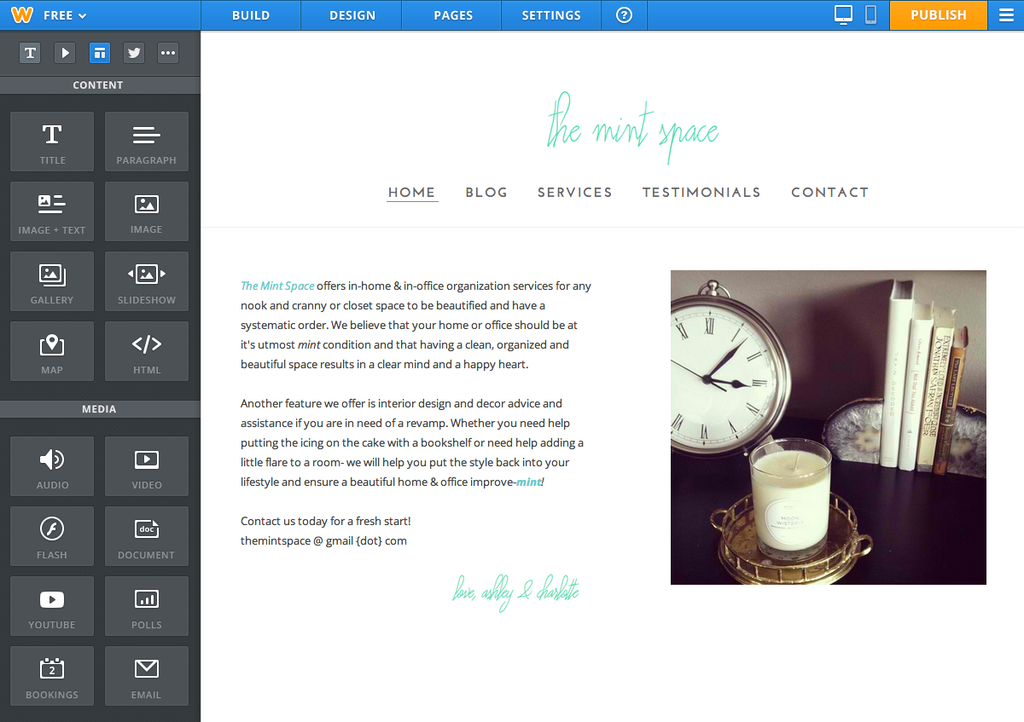
Weebly

Weebly is a great developer and as an education user you do not have adverts in it.  The templates are both professional and flexible.  The interface is easy to use, but once you press publish or delete a page there's no history functionality.

Pros
  • Professional Look and feel
  • Forms functionality
  • intuitive interface
  • Blogging tools
Cons

  • No history function to correct mistakes
  • Limited search functionality
  • Limited integration with Google apps

Google Sites

This is the grandfather of online based web-development tools and it shows in what many people consider to be a rather plain look and feel. The menus are not that intuitive, but the full power of google is available. For many years we have all hoped that it would be updated, but nothing has happened.  Even so, I use it for all my Keystage 4 and 5 courses, because that power is not to be underestimated.  It has the scaleability that simply is not there is other systems with the full force of Google's search engine.

Pros
  • Full integration with Google Apps
  • Google Sign in supported
  • Immensely powerful search 
  • Almost unlimited storage for edu users
  • History function
  • Page level editorship
Cons
  • User interface is not intuitive
  • Old-fashioned feel to it


Wednesday, 6 April 2016

Quizlet - Tried, Forgotten and Resurrected!

Quizlet has always been able to make flash cards, but with a new generation of competitive quiz systems such as Quizizz and Kahoot it seemed antiquated! Students weren't even prepared to give it a go the last time I gave them the opportunity to choose a system to make quizzes.

This time however we were on Quizlet's home turf! Making Vocabulary cards and using them as a revision tool.  There's a lot to commend Quizlet as a flash card making tool. It's multi-platform, even works on a Windows phone! Much to the surprise of my one Windows phone user!

In the corner was a suggestion that we could play a new live game and ever one who likes to press big buttons. We decided to give it a go!

Unlike Quizizz and Kahoot this is a team game where you compete against other teams. Teams are randomly formed, but if you don't like the make up they can be reshuffled.   I'd also say it's better if you've got portable devices for this. Oddly enough, a computer lab isn't actually the best place to play this, because teams get shuffled frequently.

However that didn't get in the way of most of my students who found ways to dash to each other, grab phones and generally work it out!

The compulsory team element differentiates it from Quizizz and Kahoot, but it also opens up a new type of challenge.  Quizlet have thought it through that for the kind of sets they have this kind of game will work better.  The other point to note is that Quizlet games take a fraction longer to setup.  I've played Kahoots in under 5 minutes, but Quizlet seems to need at least 10 minutes and more than that the first time students play.

In revision season you need all the tools you can get, so I'd strongly recommend Quizlet if you have vocabulary to learn!


Thursday, 17 March 2016

The multi-million dollar lesson!

19 years ago, we were told we were so lucky because we now had 5 channels on our television. What a glorious day in the UK when we finally had a fifth channel. I remember, because I couldn't get it and so I had just 4 channels. 12 years ago, I felt so privileged because thanks to the power of the Internet I could make a call across the world and NOT pay for it.  In fact 19 years ago, I would have needed rather a lot of money to be able to share my lessons the way that I did today.

Today I had a student with a virus. Nothing too serious, but contagious and he had to stay at home.  In the old days that would definitely have put pay to any chance of him catching any of his lessons and on top of coming back to school, not quite 100%, (s)he'd have to catch up on a truck load of work that he missed.

However, that's not quite the way it rolls in a 21st century classroom! Thanks to a friend's iPad and his PC at home, he was able to Skype in with video to see my presentation and even interact with me. Then, because the lesson was largely on Google Classroom, he was able to join in and submit work as if he was there.

Then after that we were very lucky to have Eric Cooke from Southampton University come by and because there were people who wanted to be there, but might miss the talk. I naturally, broadcast it to the world using Google Hangouts on Air.  I'd like to think it was an event of world-wide importance, but I did it simply because I could and to top it off YouTube even made a copy for me.

It was only as I was walking home, I realized how far the world has come and how much technology has helped us. I took many millions of pounds worth of technology completely for granted and used it pretty much on a whim.  I can't imagine the justification that would have had to be made to use that kind of tech in my childhood, but here's the thing... We don't have to, if we want to use Video conferencing to connect people half across a city or half way across the world we can.  This is the world that our children live in and the world we as teachers should take full advantage of.

And because I can... Here's the video of Eric Cooke! Great guy with a very provocative and entertaining view of the world!